K
Multi-Function Skateboard T-Tool – Portable Skateboard Repair Tool 9/10

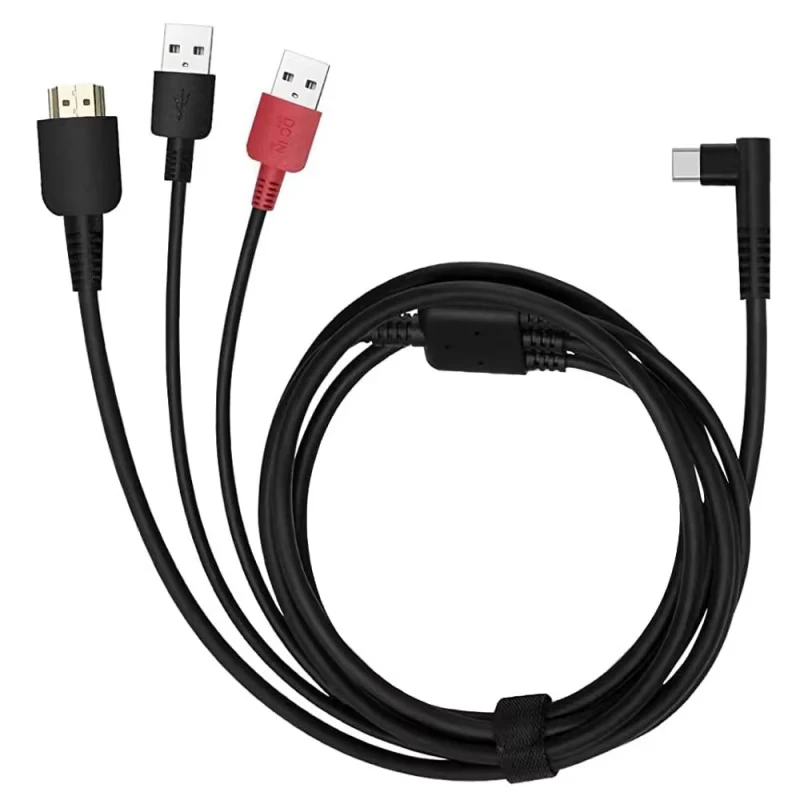
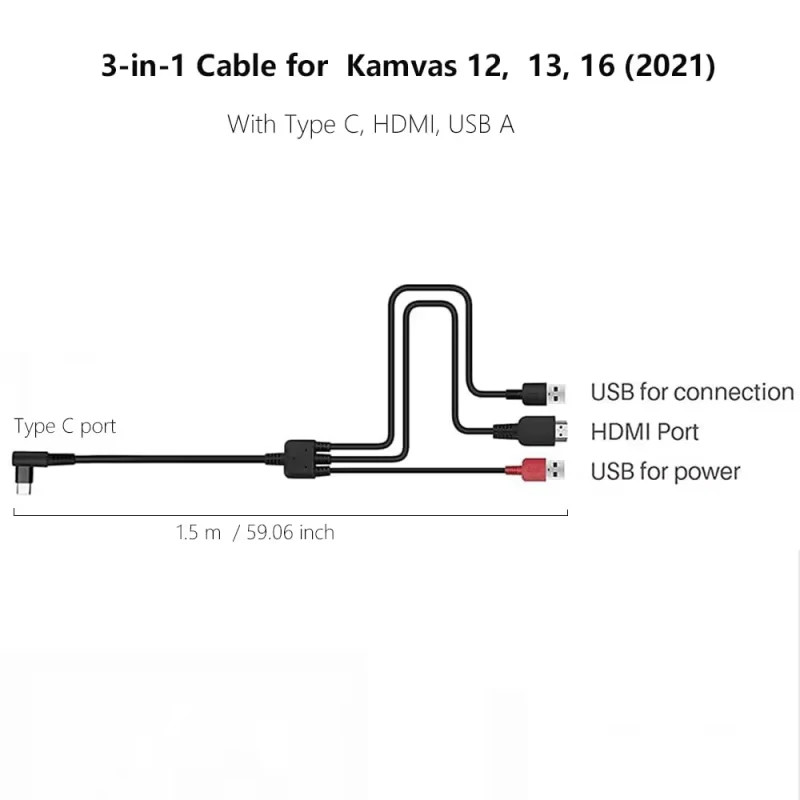
3-in-1 Cable CB05A ONLY Suitable for Huion Graphics Tablet Kamvas 12 Kamvas 13/13 Gen 3 Kamvas 16 (2021) with HDMI Type C USB A


Application Brands: Others Brand
Application Screen: Electromagnetic Screen
Battery Included: no
Brand Name: NONE
Choice: yes
Compatible: ONLY for Kamvas 12 Kamvas 13/13 Gen 3 Kamvas 16 (2021)
Feature: Wireless Pairing
High-concerned chemical: none
Item model number: computer-usb-cables
Manufacturer: 3 in 1 cable
Material: Plastic
Origin: Mainland China
Package: Yes
Rechargeablebatteryincluded: No
semi_Choice: yes
3-in-1 Cable CB05A Suitable for huion Graphics Tablet Kamvas 12 Kamvas 13/13 Gen 3 Kamvas 16 (2021) with HDMI Type C USB A
1. Compatibility: This 3 in 1 cable ONLY compatible with Graphic Tablet Kamvas 12 Kamvas 13/13 Gen 3 and Kamvas 16 2021.The integration of data, power, and USB cables, brings you a creative space with concise desktop. Please kindly check your model number of digital tablet when you purchase to avoid choose the wrong cable~ also you can contact with us to check if the compatibility.
2. 1.5 M Length: it is 1.5 M cable with, so that you can connect the pen display to computer or laptop freely, do not worry that the line is too short.Let your creation have no limits limiting your creative space.
3. Power Supply: If the voltage of your computer is greater than or equal to 5V, Kamvas 12 2021/Kamvas13/Kamvas 16 2021 can be powered directly by your computer by only plugging the HDMI and black USB cable to the computer interfaces.Otherwise, you have to plug the red USB cable to a charger(not included) for power supply.
4. Connection: Black USB port connects to the computer USB interface.Red USB port connects to the charger.HDMI Port connects to the computer HDMI interface.USB C Port connects to the pen display Kamvas 12 2021/Kamvas13/Kamvas 16 2021.
5. Package List: 1 x 3 in 1 cable.