
Dash Cam Dual Lens 4K UHD Recording Car DVR GPS WDR Night Vision Video Recorder Wi-Fi Room Black Box 1080P Rear View Camera
Dual Camera-GPS / 32G Card
$99.99
Reapris
$99.99
Ordinarie pris
$0.99
Hoppa till produktinformation

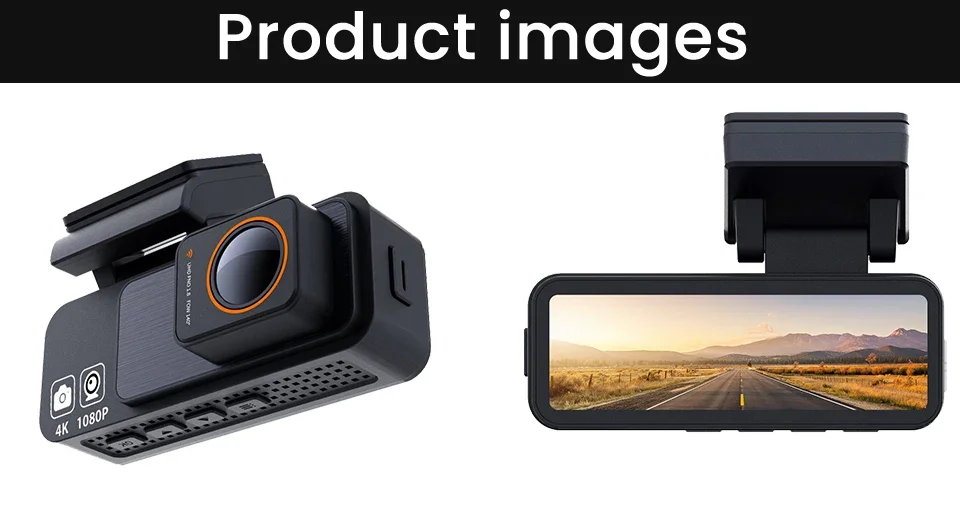


Dash Cam Dual Lens 4K UHD Recording Car DVR GPS WDR Night Vision Video Recorder Wi-Fi Room Black Box 1080P Rear View Camera
$99.99
Reapris
$99.99
Ordinarie pris
$0.99
Fraktkostnad beräknas i kassan.
SPECIFICATIONS
APP Compatibility: Viidure
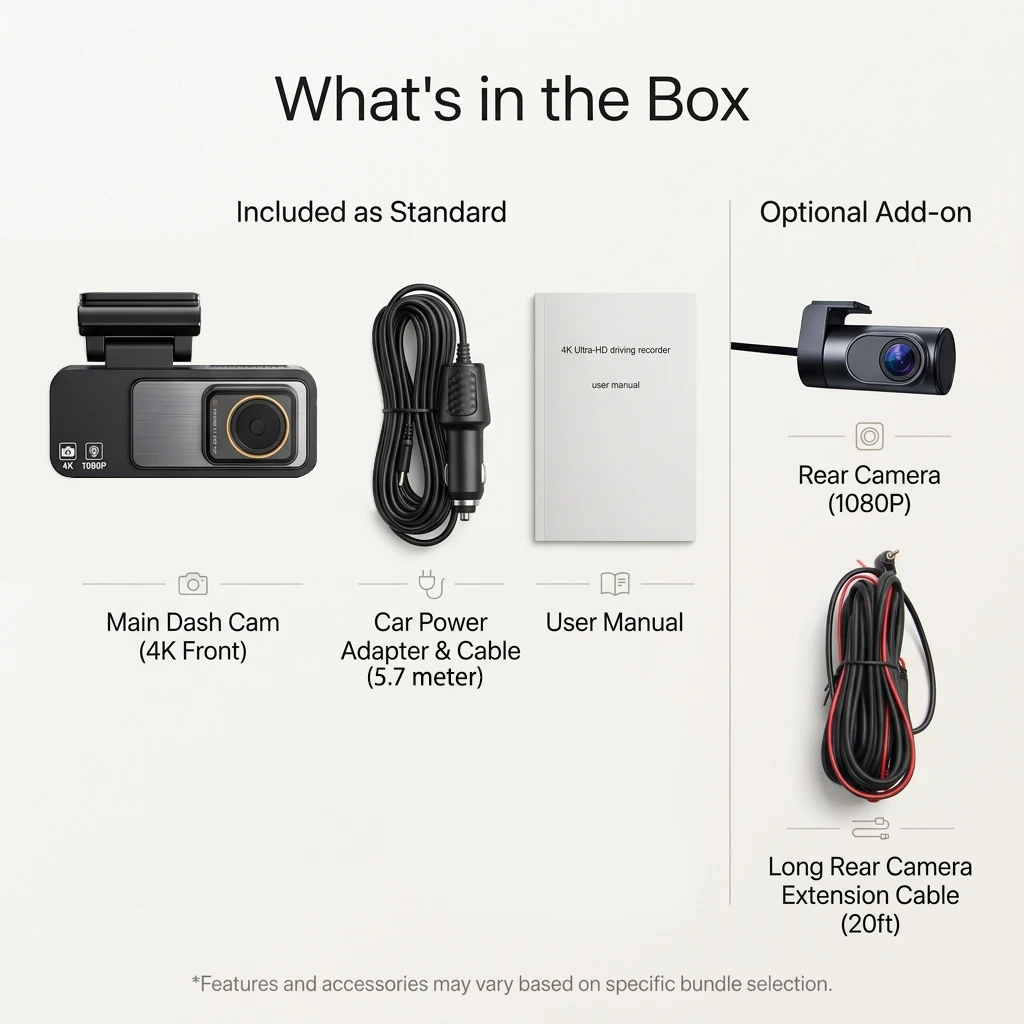
Accessory Type: Rear camera, car charger, user manual
Aperture: 1.8
Assembly Mode: Portable Recorder
Audio Recorded: Yes
Battery: None
Battery Capacity(mAh): NO Battery
Battery Type: NO Battery
Brand Name: Bluavido
Built-in Screen: Yes
Cable Length: 5.7 meter
Camera Resolution: 3840x2160
Certification: CE,FCC,RoHS
Chipset Manufacturer: Allwinner
Data Storage Capacity: 8MB
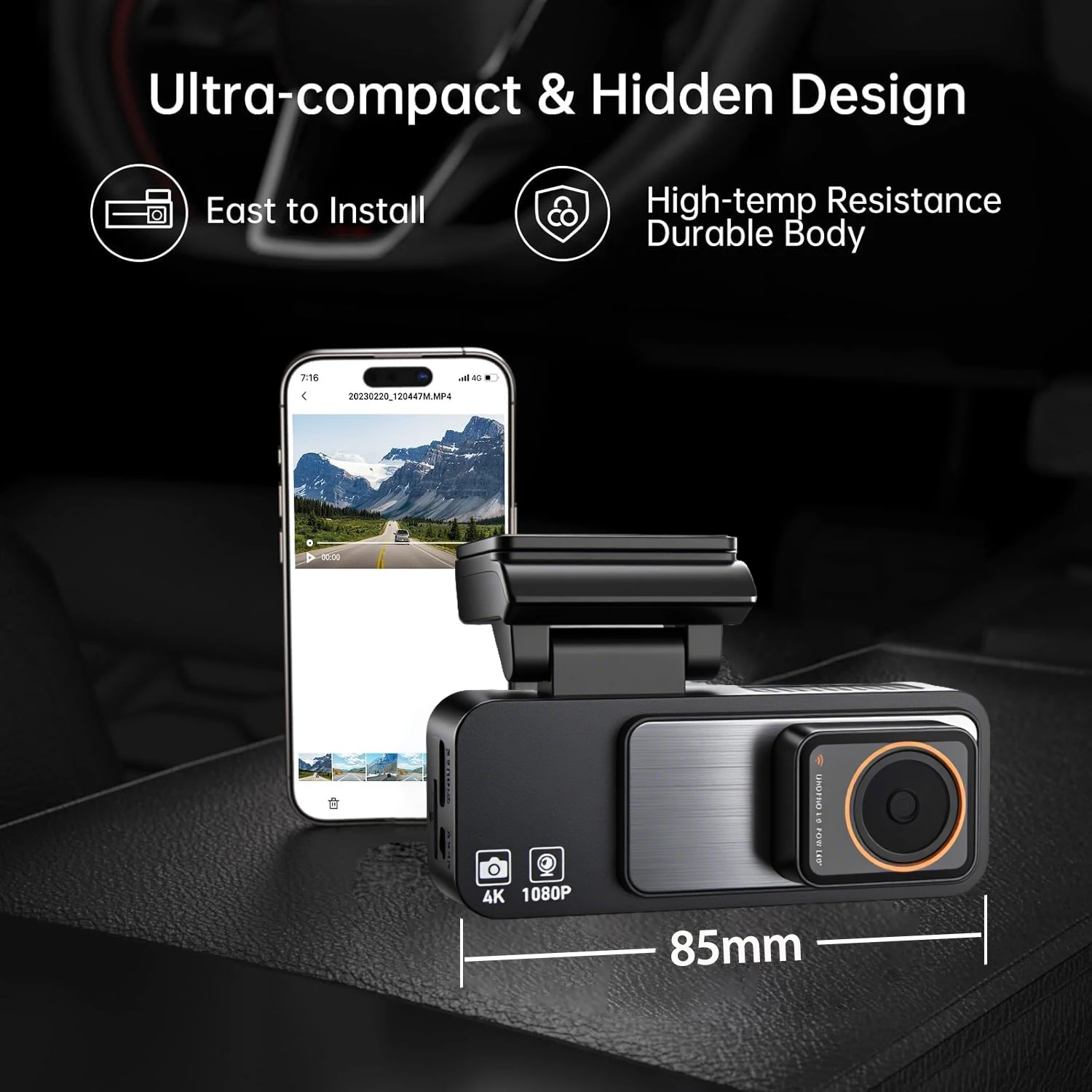
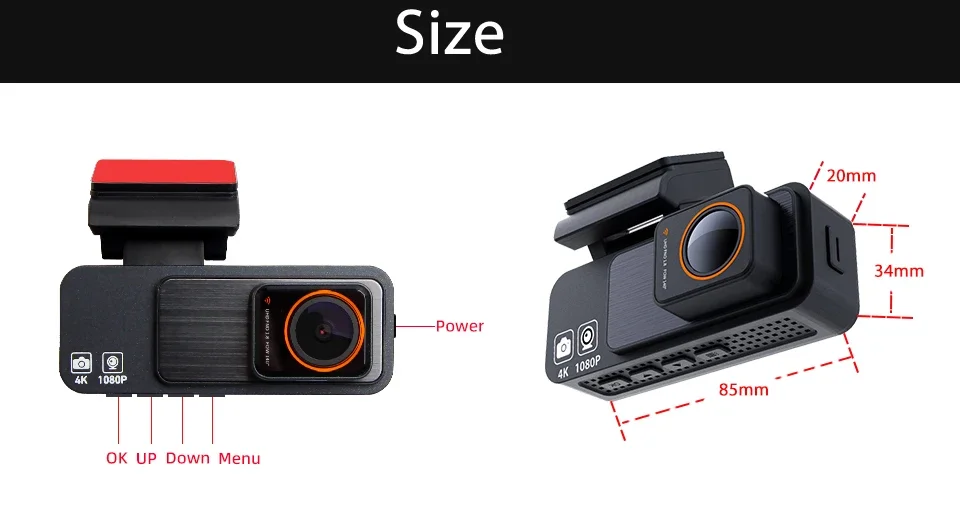
Dimensions (W x H x D): 85*34*20mm
Display: IPS
Display Size: 3"-5"
Frames Per Second: 25
GPS logger: NONE
High-concerned chemical: none
Imaging Sensor: GC4653
Input/Output: AV-IN
Interface: AV-In,USB C
Is Batteries Included: no
Item Type: Car DVR
Loop-Cycle Recording Feature: Yes
Max External Memory: 256G
Maximum Video Frame Rate: 25fps
Memory Card Required Reding Speed: Class 10
NightShot Function: Yes
Number Of Lenses: 2
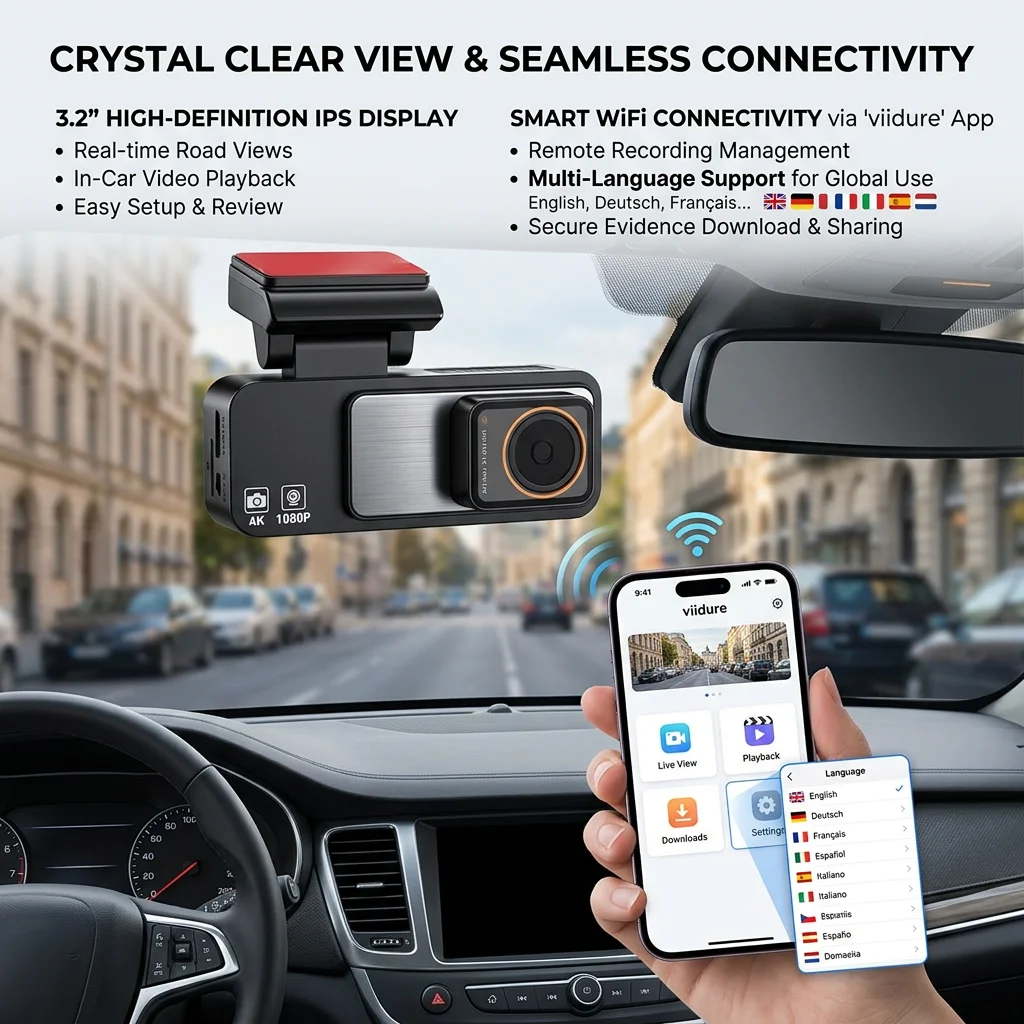
OSD Language: English,French,German,Japanese,Korean,Russia,Spanish
Origin: Mainland China
Original Package: Yes
Pixels: 1800Mega
Power Source: Corded electric
Rear Camera: Yes
Screen Ratio: 16:9
Special Features: G-Sensor,sd/mmc card,Bult in GPS,Anti Surge Voltage Impact,Waterproof,Anti Fog,Anti Vibration,Real Time Surveillance,Automatic White Balance,Wide Dynamic Range,wifi function,Parking Monitor,Speed and Coordinates Recording
Touch Screen: no
Video Code: H.264
Video Format: TS
View angle: 140
Warranty: 365 days
Weight: 488g
Working Temperature: -25 to 75 degree
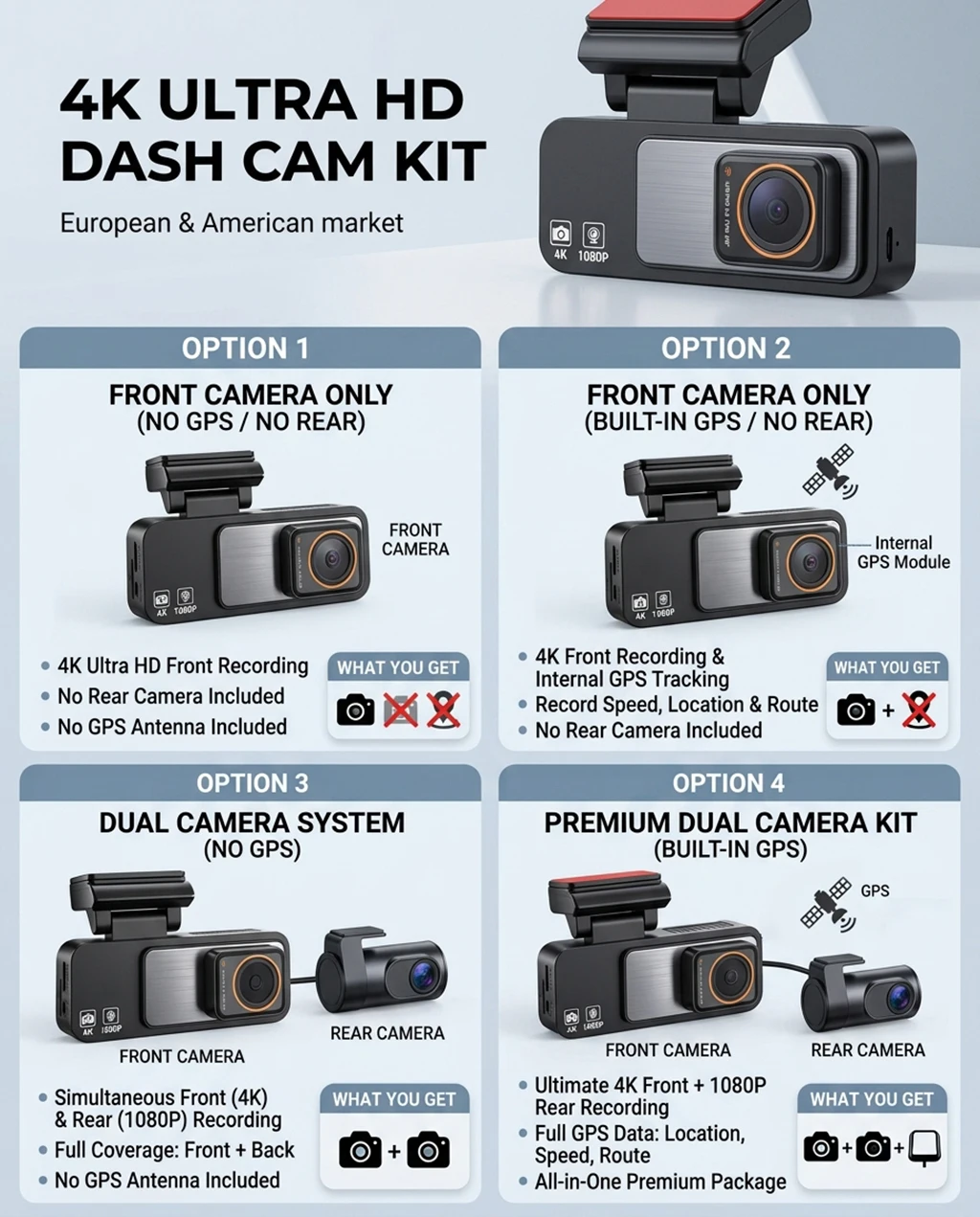
There are 4 option detail and explain:
1. when choose Front-NO GPS-NO Rear:
means only send front Camera,
Not include rear camera and GPS antenna.
2. when choose Front-GPS-NO Rear:
means only send front Camera, built in GPS.
Not include rear camera.
3. when choose Dual Camera-NO GPS:
Means Front + Rear Camera
Not include GPS antenna.
4. when choose Dual Camera-GPS:
means Front+ rear + built GPS antenna.
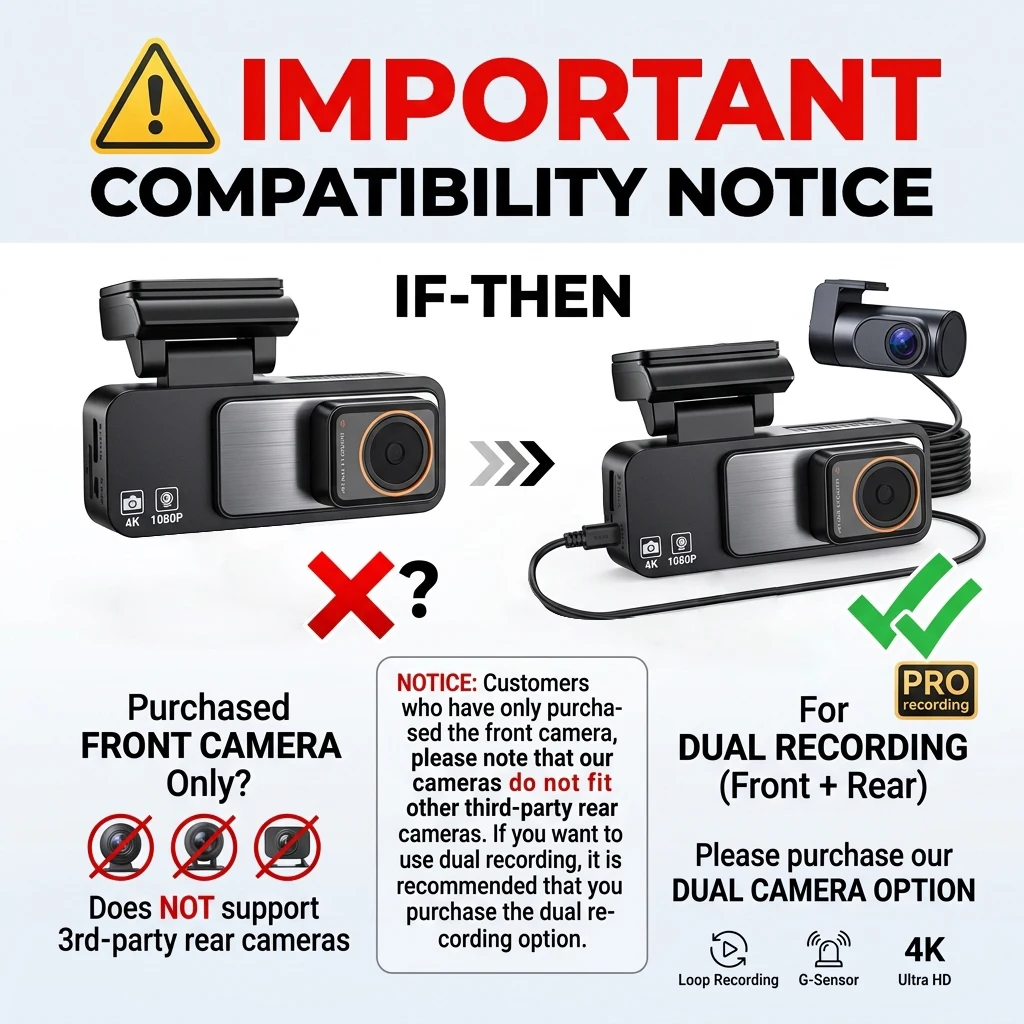
NOTICE: Customers who have only purchased the front camera, please note that our cameras do not fit other third-party rear cameras. If you want to use dual recording, it is recommended that you purchase the dual recording option.
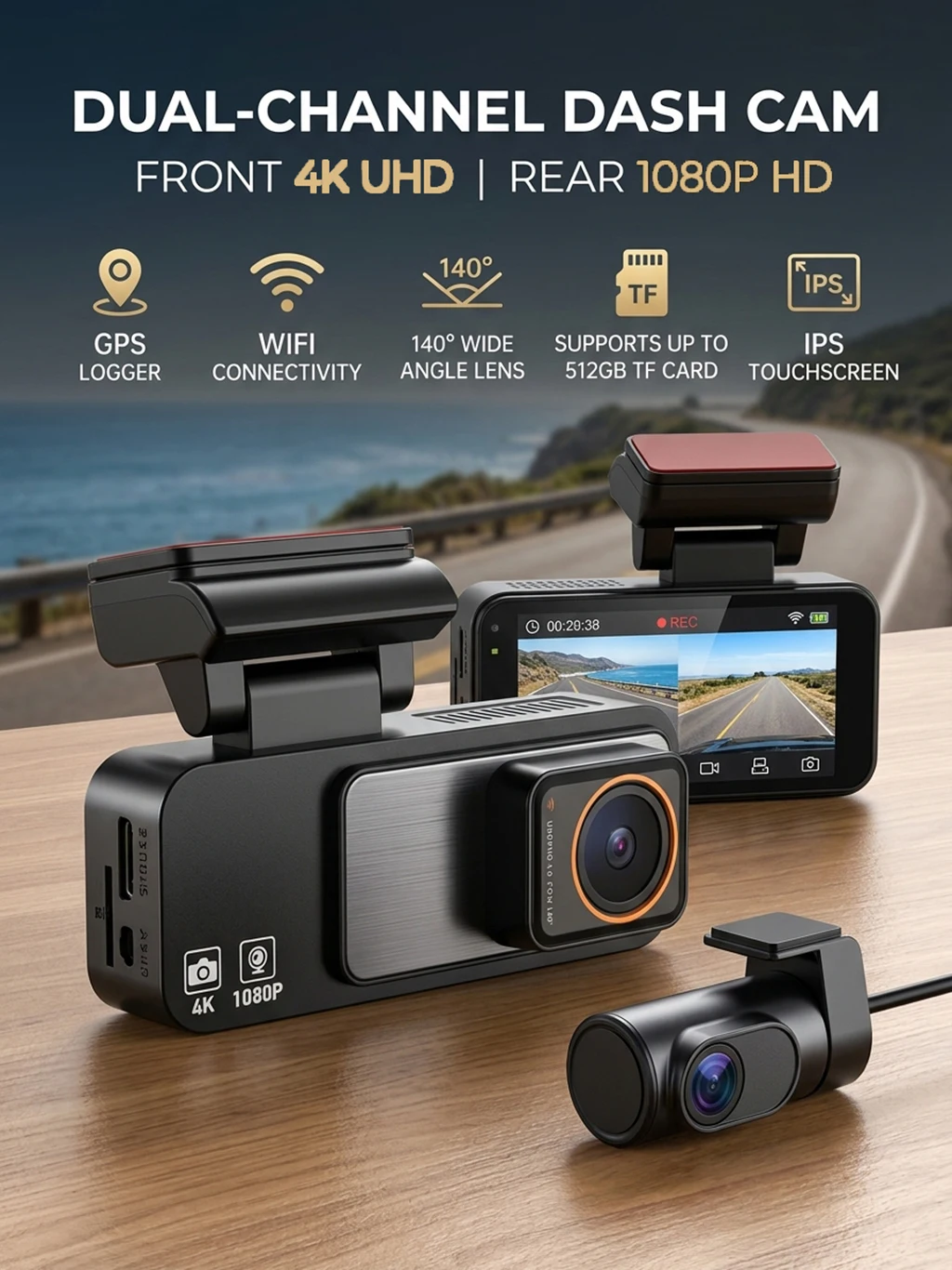
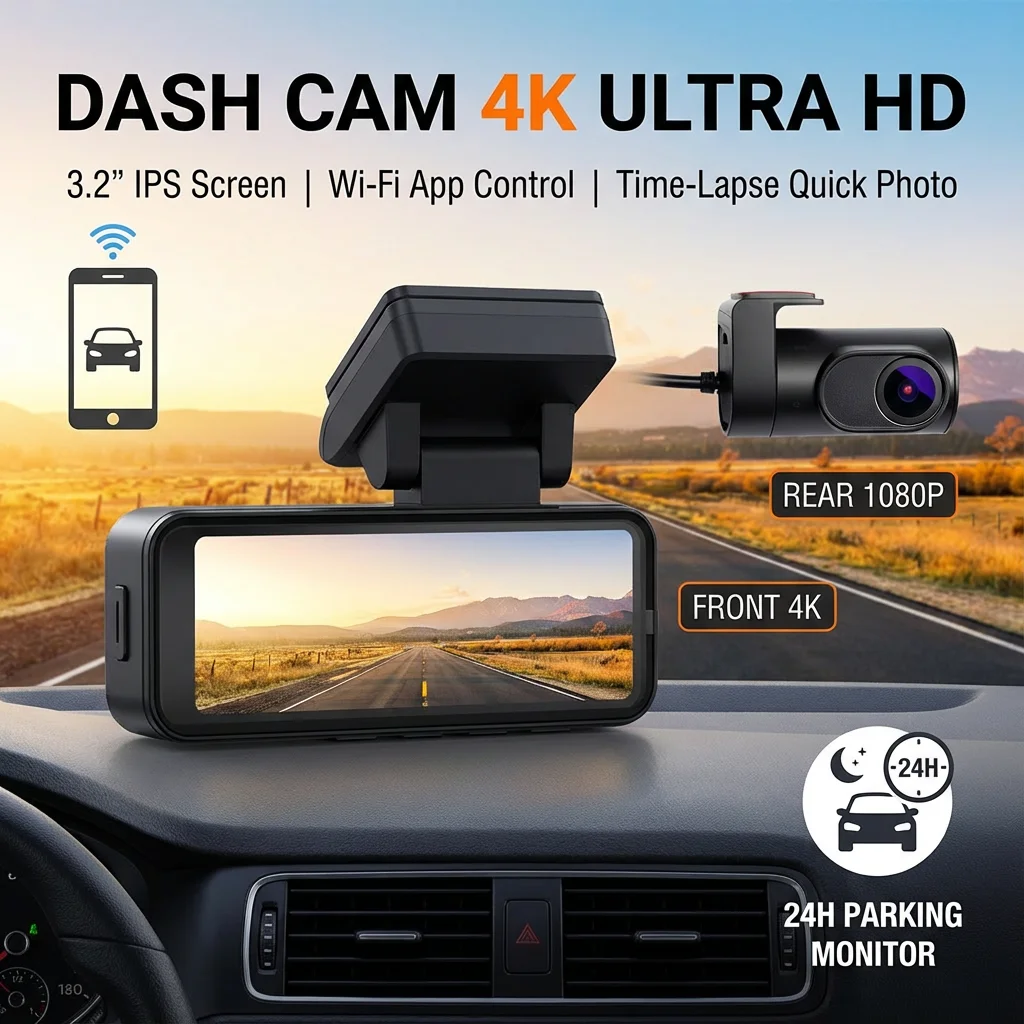
Enhance your driving safety and convenience with the Bluavido 4K Ultra HD Dash Cam. This advanced device offers high-resolution recording, WiFi connectivity, night vision, and a suite of safety features to ensure every journey is well-documented and secure.
✨ Key Features:
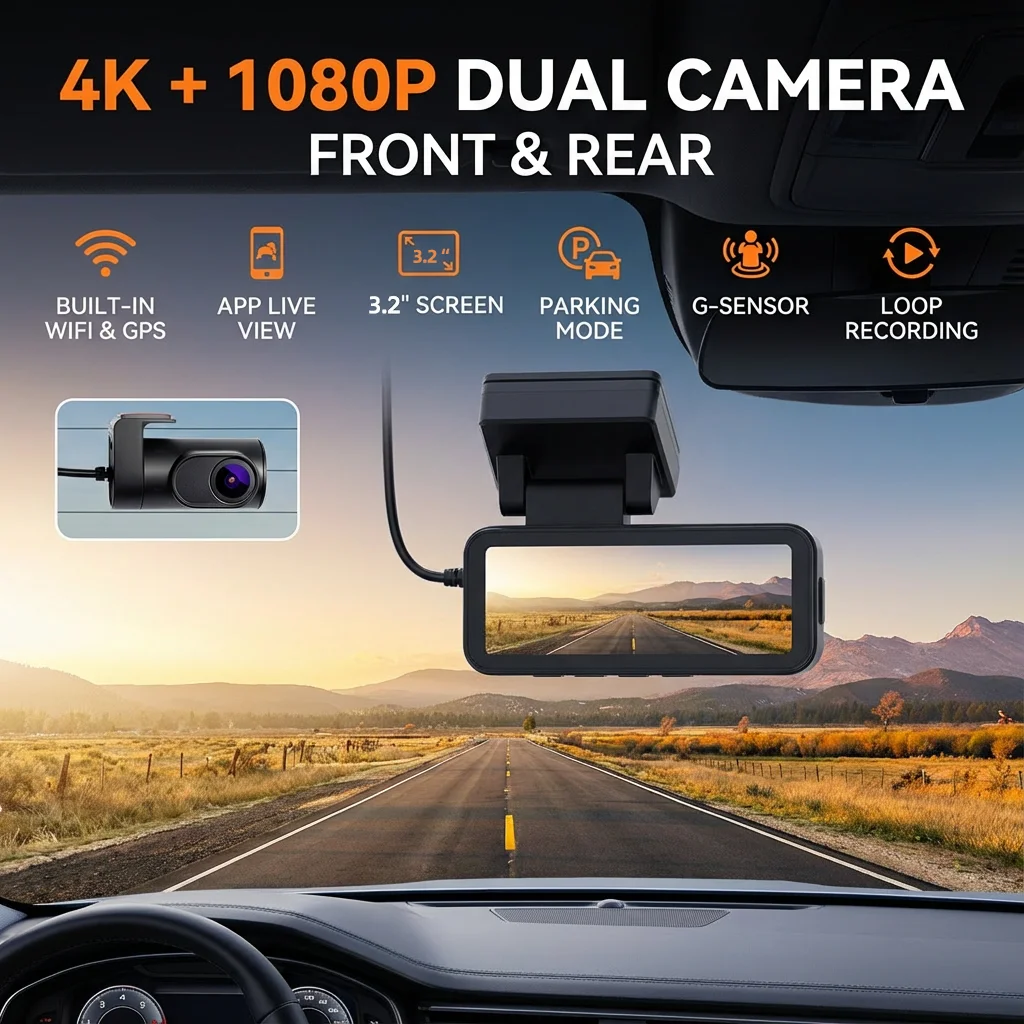
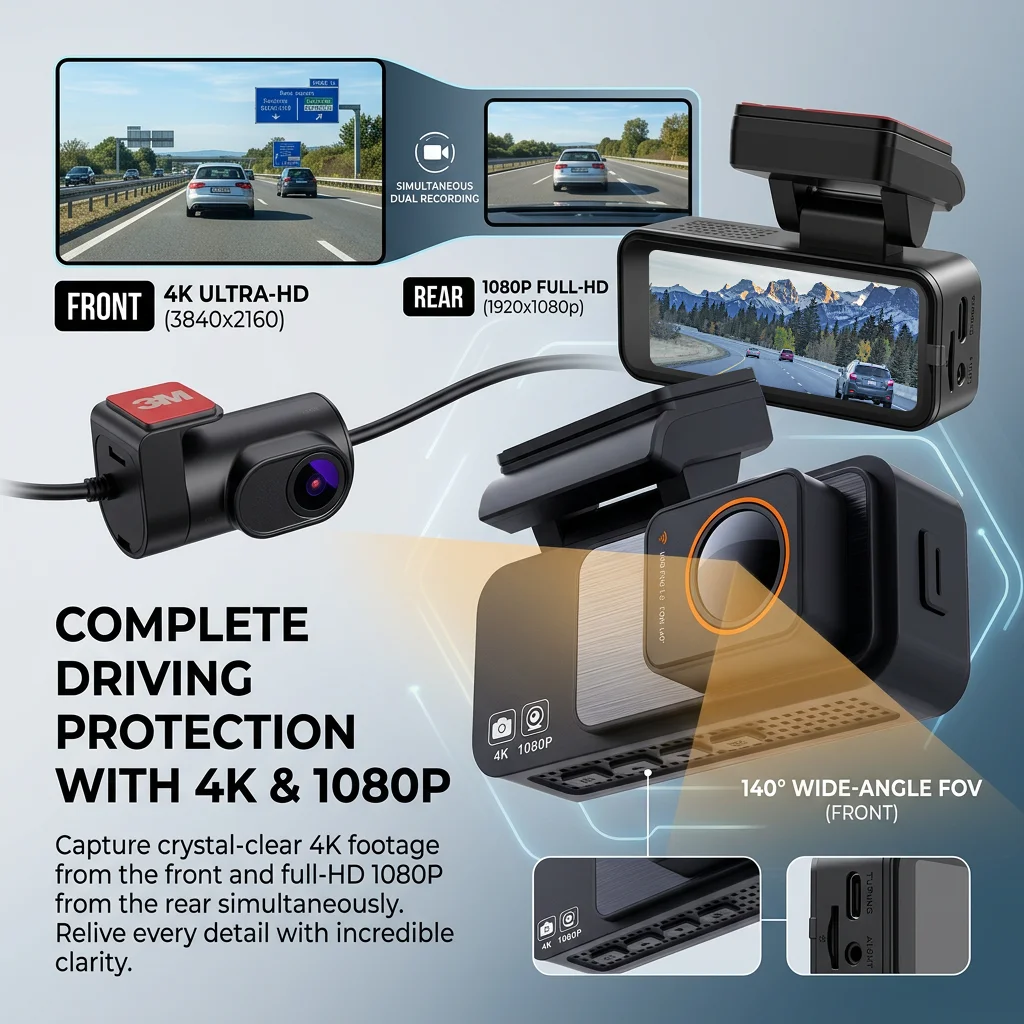
▶ 4K Ultra HD Recording: Capture crystal-clear footage with the front 4K camera and rear 1080P camera.
▶ WiFi Connectivity: Connect to your smartphone via the Viidure app for real-time monitoring and video playback.
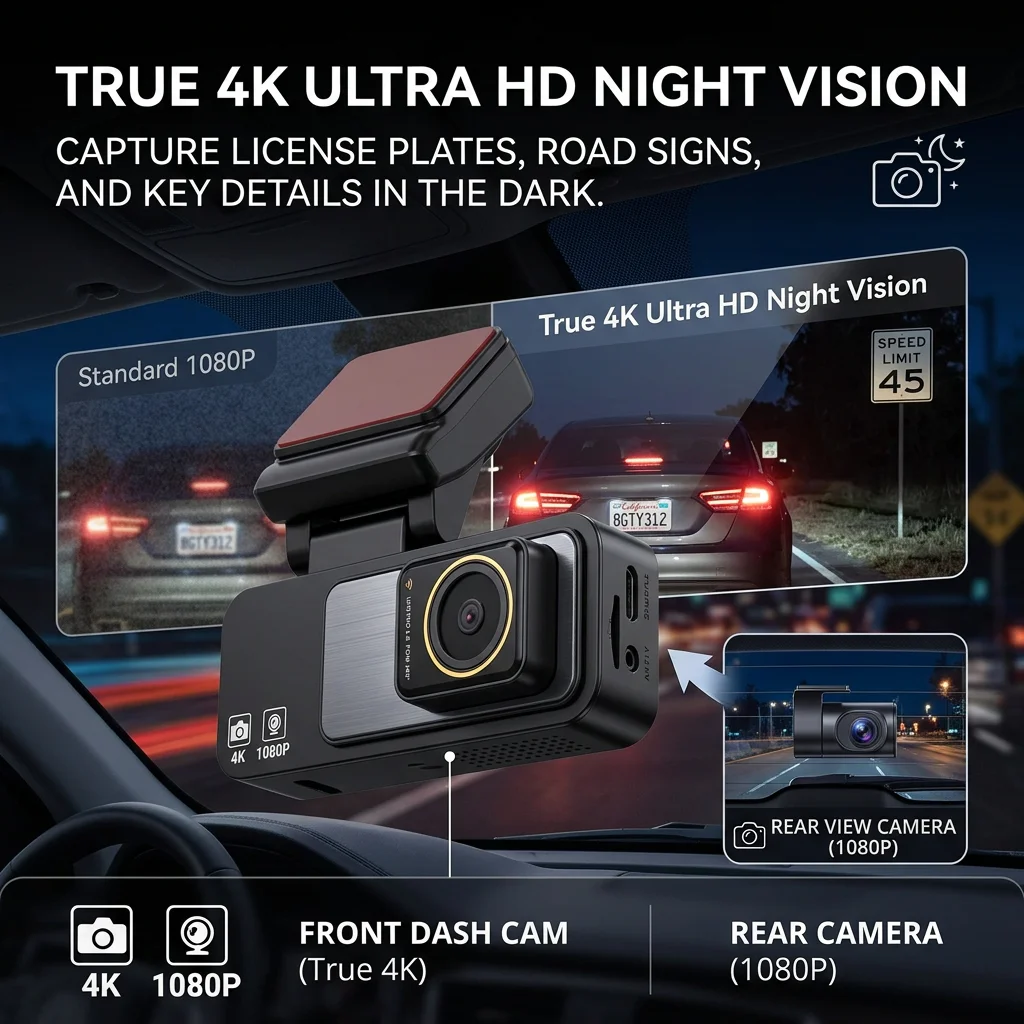
▶ Night Vision: Advanced night vision technology ensures clear recordings even in low-light conditions.
▶ G-Sensor & Collision Detection: Automatically locks important footage in case of an accident.
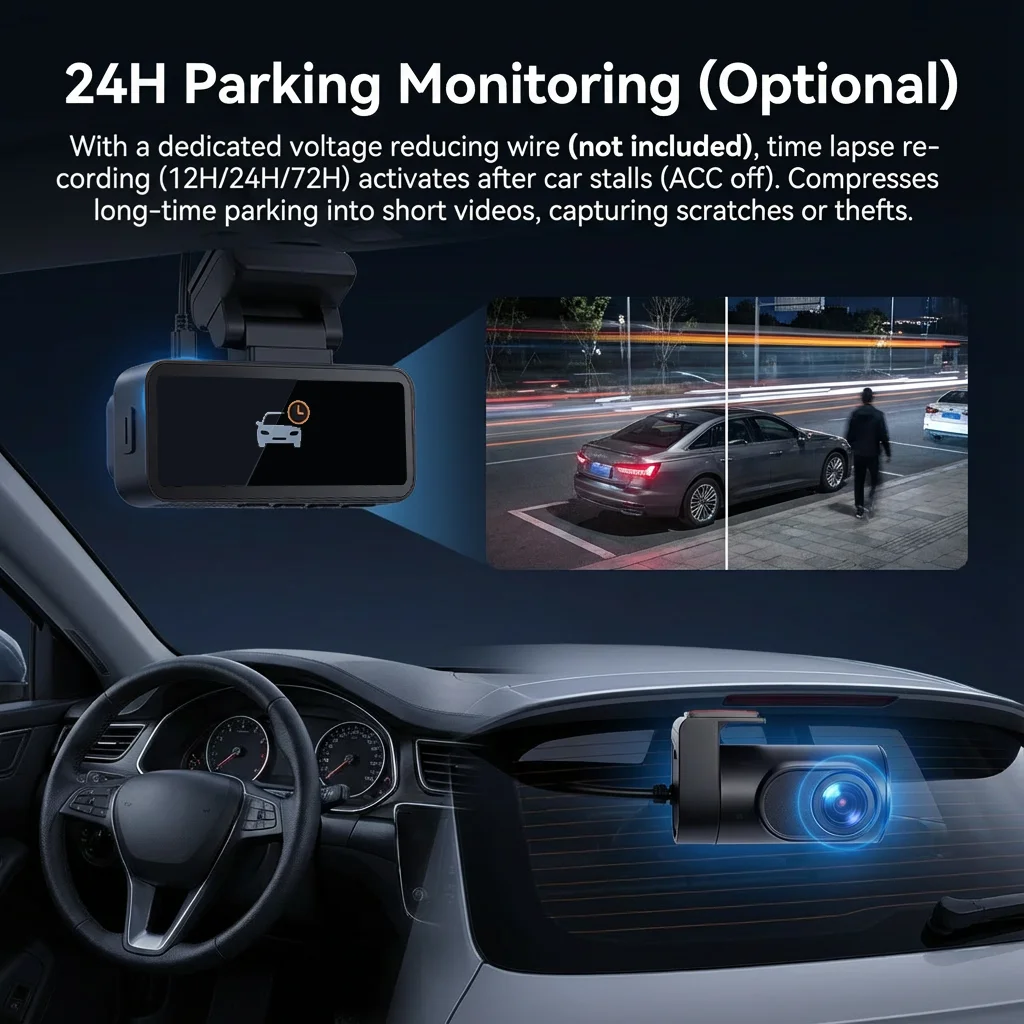
Parking Monitor: Protect your vehicle when parked with automatic recording triggered by motion detection.
▶ Loop Recording: Never run out of storage space with automatic overwrite of the oldest files.
▶ Multi-Language Menu Support: English, FRENCH, German, Japanese, KOREAN, RUSSIA, Spanish
NOTICE:
The commodity power cord interface is Type-C. If you use a third-party USB Type-C for power supply, you need 5V 2A power. Ordinary USB Type-C only provides 5V 1A. Please check whether the power meets the standard, otherwise it will not work properly.
In order to extend the service life of the camera, we still recommend using our original power cord.
If the option with a GPS module is selected, the GPS antenna is built into the device.
4K Front & 1080P Rear Cameras
Night Vision
Wi-Fi Connectivity
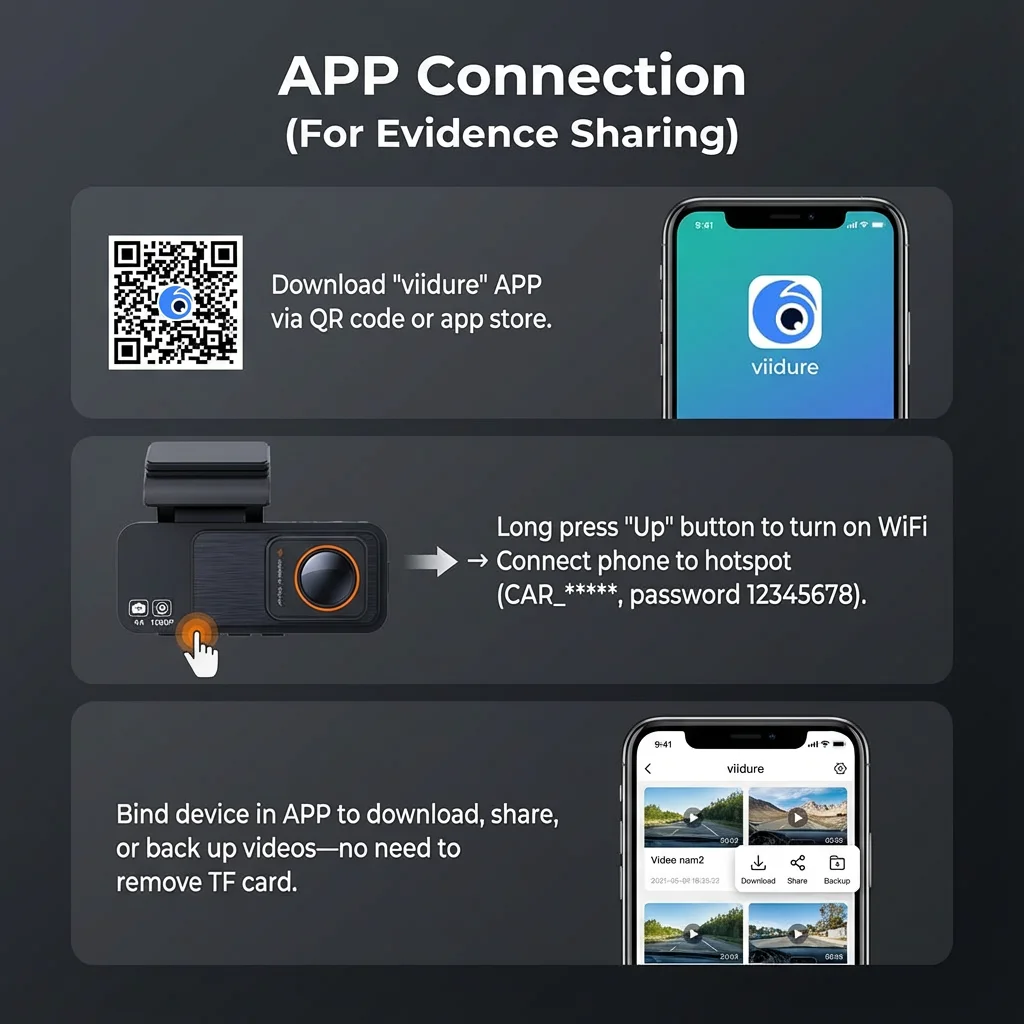
1. Before connecting to the DVR on the phone, it is necessary to install the WIFI connection app "Viidure APP" in advance.You can search for "Viidure" installation in the Apple App Store or Google App Market.
2.Open the "Viidure" APP on your phone, enter the configuration mode, turn on the wifi function of the phone, follow the prompts to find the SSID wifi signal(CVR***) of the DVR and enter the password(12345678) to connect;
3.After successful configuration, you can connect and operate the DVR through the "Viidure" APP.
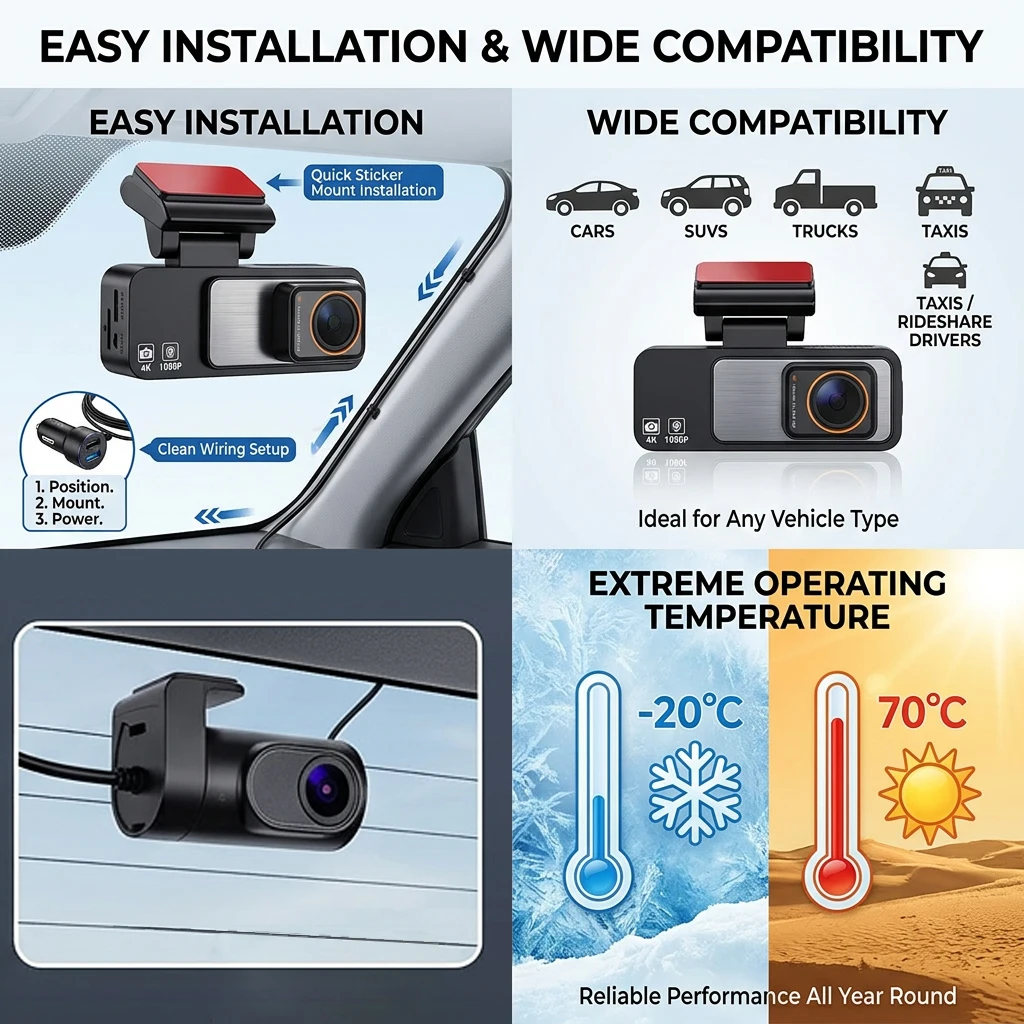
Working temperature
-25 to 75 degrees working temperature to ensure stable operation in all seasons.
24H Parking Monitor
when the car engine is off (camera get power from car battery), the camera will be in a dormant state. if the car is knocked, the camera will turn on and start to record automatically, after 1 minute the camera will turn off and dormant again.
[Need buy OBD buck cable in addition to achieve this function]----Require OBD buck cable output 5V 2A.
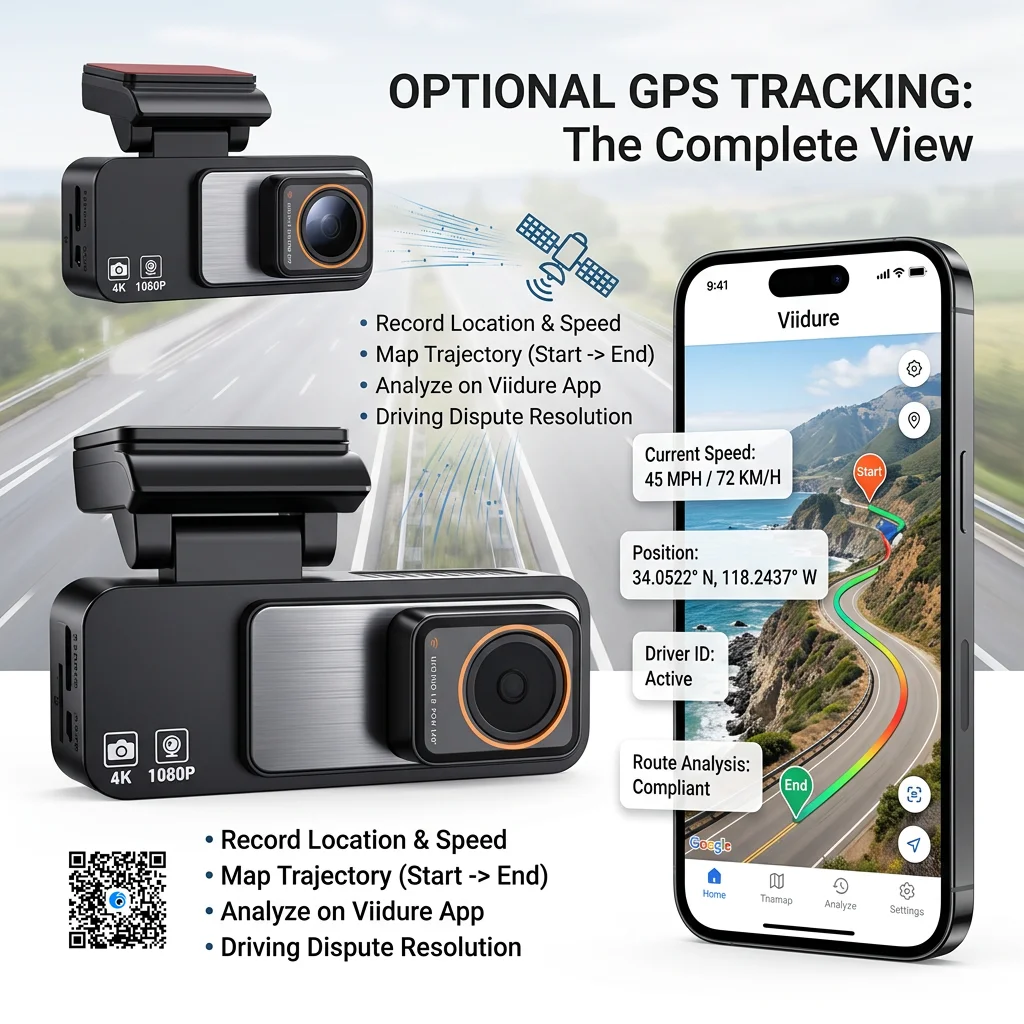
GPS Logger [Option]
optional in GPS antenna, The camera can record the driving speed,coordinate and move history track, at which the car is traveling.
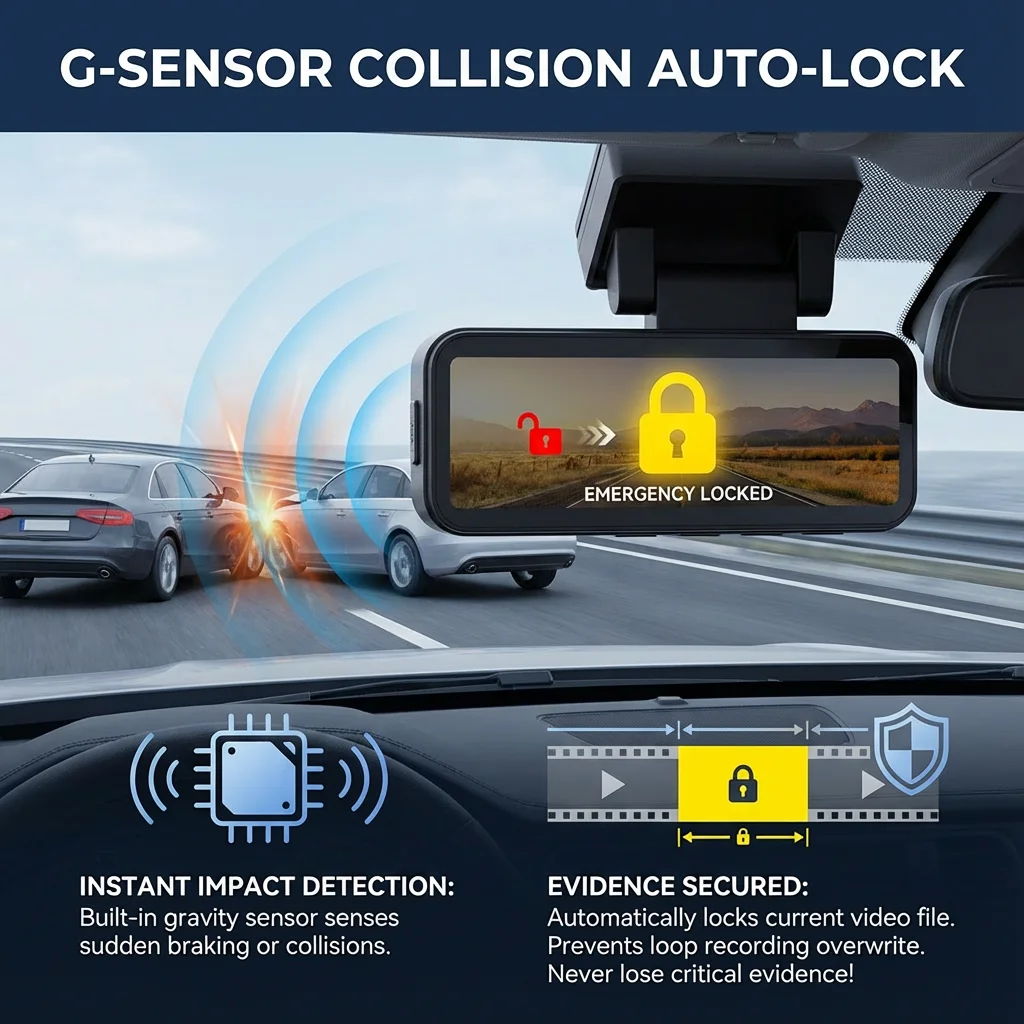
G-sensor
Built-in accelerometer, the sensitive touch collision, critical moment automatic locking important pictures, leave real comprehensive video evidence, be considerate protection.
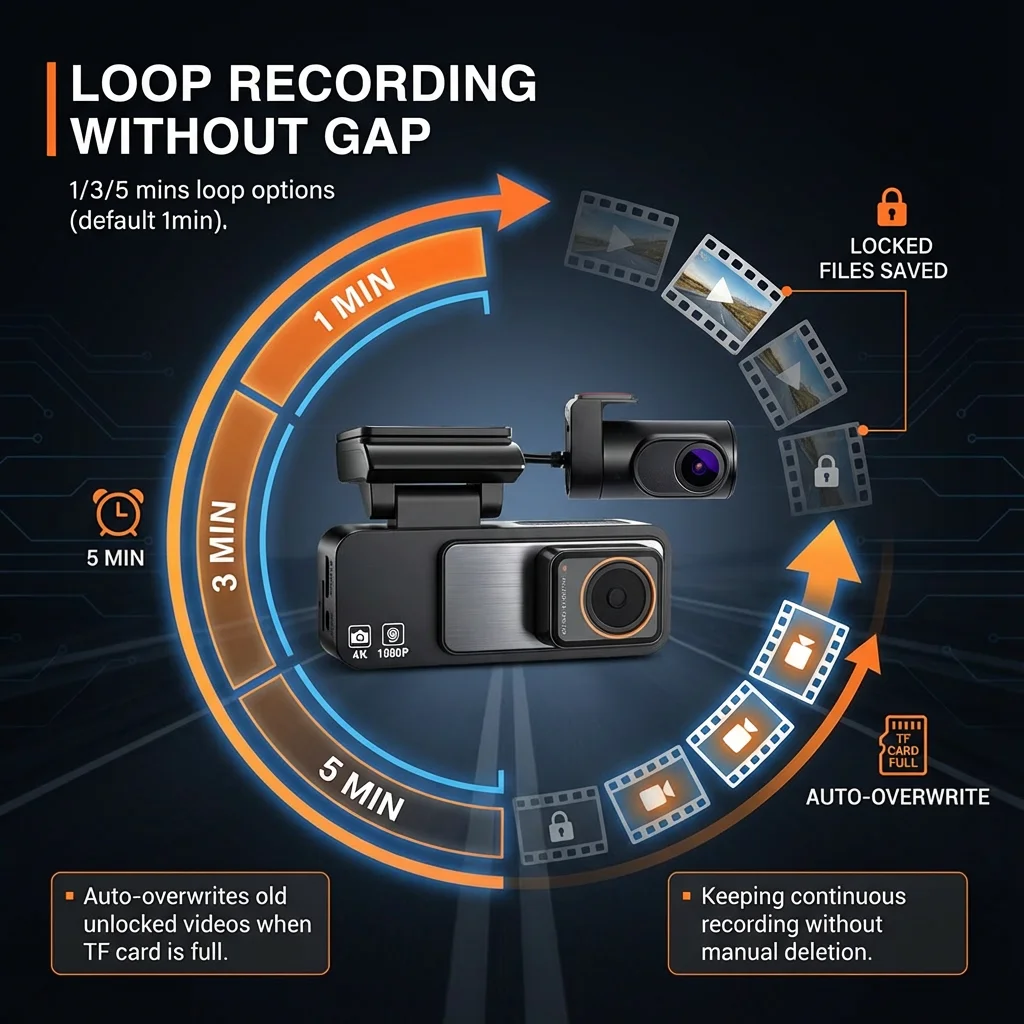
Loop Recording
when the storage space is full. it can automatically cover the earlies segment.
Detail:
📋 Specifications:
• CPU: V851S3 single-core Cortex-A7@900MHz, single-core RISC-V @600MHz
• FLASH: 8M SPI norflash
• Display: 3.2-inch HD IPS
• App Connectivity: Real-time video viewing, image capture, etc.
• Front Camera: GC4653
• Front Lens Angle: 140 degrees
• Front Recording Resolution: 4K/3840*2160, 25fps
• Rear Camera: AHD1080P mirror
• Rear Resolution: 1920x1080, 25fps
• Video Compression: H.264
• Video Format: TS
• Image Format: JPG
• Languages: Chinese/English/French/German/Japanese/Korean/Russian/Spanish, etc.
• Gravity Sensor: Supported
• Reverse View: Supported
• Parking Monitor: Supported [Require OBD buck cable]
• Wi-Fi: Supported, 2.4G
• Track Query: Supported (with dedicated player)
• Storage Temperature: -20°C to 75°C
• Operating Temperature: -20°C to 70°C
• Memory Card Capacity: Up to 256GB
• Input: 12V
• Standard Voltage: DC 5V 2A
• Battery: Built-in button battery
📦 Package Includes:
1* Host Camera
1* Rear Camera [non-waterproof] (Option)
1* Type-C car charger [output 5V 2A]
1* User Manual
❓ FAQ:
1, How do I connect the dash cam to my smartphone?
Connect your smartphone to the dash cam's WiFi hotspot (CAR_*******), then open the CloudSpirit app and follow the on-screen instructions.
2,What is the default WiFi password?
The default password is 12345678. You can change it in the settings menu.
3, Can I use a different TF card?
Yes, but we recommend using a high-speed TF card (Class 10 or above) with a capacity of no less than 8GB and up to 512GB.
4,How do I format the TF card?
You can format the TF card directly from the settings menu in the dash cam. It is recommended to format the card regularly to ensure optimal performance.
5, What is the warranty period?
This product comes with a 180 days. For any issues or concerns, please contact our customer support.
⚠️ Important Notices:
Power Supply: Ensure you use a 5V/2A power supply for optimal performance.
Installation: Follow the user manual for correct installation to avoid any damage or malfunctions.
Software Updates: Regularly check for updates via the CloudSpirit app to ensure your dash cam is running the latest function.
